Dreaming Digital Note Templates: Organize Your Thoughts in Style
There is a specific kind of frustration that comes from staring at a blank digital page. You have Goodnotes or Notability open on your iPad, or perhaps a PDF reader on your tablet, and the cursor just blinks back at you. Whether you are a university student trying to decipher complex lecture slides, a project manager tracking deliverables, or a hobbyist planning a scrapbook, the structure matters as much as the content. This is where a versatile toolkit like the Dreaming Digital Note Templates changes the game. It is not just a collection of paper textures; it is a comprehensive system designed to bring order to the chaos of modern digital life.
Breaking Down the Massive Collection
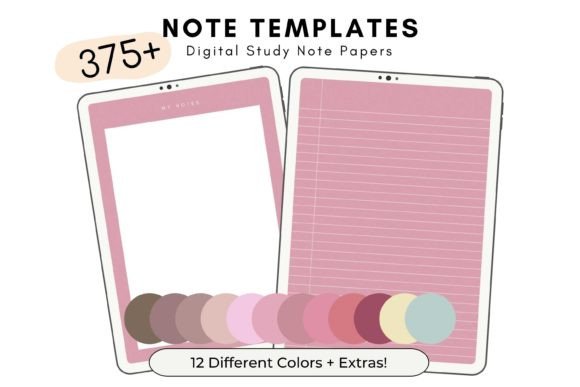
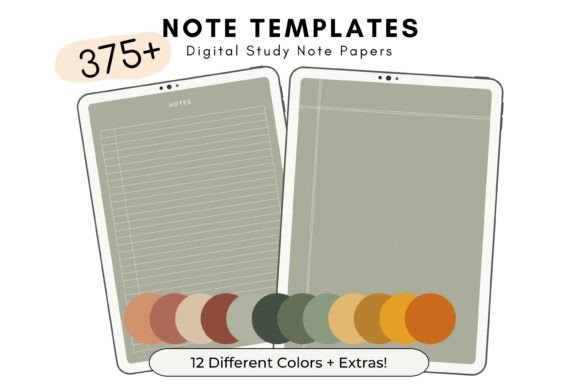
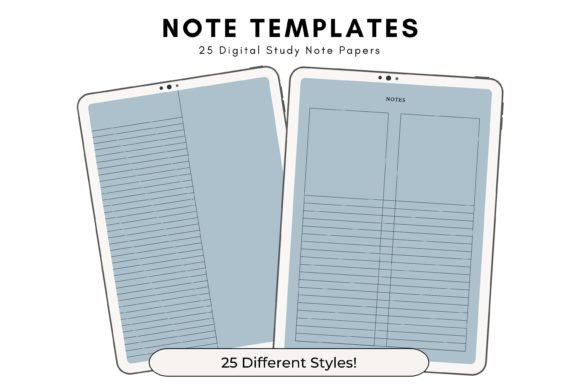
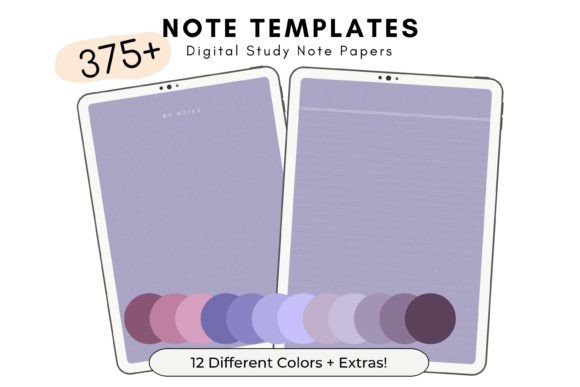
When we talk about digital organization, variety is key. A single grid pattern rarely works for every task. The Dreaming Digital Note Templates package addresses this by offering a massive set of 33 different note template styles. This isn't a case of quantity over quality; it is about providing the right tool for the right job. The collection includes specialized layouts such as a dedicated weekly planner and a structured to-do list. However, the true value lies in the flexibility of these layouts. You might prefer a lined page for meeting notes but a dotted grid for sketching out a new logo design. Having these distinct styles at your fingertips allows you to switch contexts without breaking your workflow.
One of the most practical aspects of this package is the color organization. We all know that color-coding is a proven method for memory retention and quick navigation. This set comes in 12 different shades. Imagine assigning a specific color to different areas of your life: perhaps blue for professional work, green for personal wellness, and a warm coral for creative projects. The inclusion of the weekly planner and to-do list in each of these 12 shades means your entire organizational system can remain visually consistent.
Practical Scenarios: Who Actually Uses This?
The versatility of the Dreaming Digital Note Templates makes them useful across a wide spectrum of professions and lifestyles. Let’s look at how different people integrate these assets into their daily routines.
For the Student and Educator
University life is a juggling act of deadlines, readings, and lectures. A student can use the to-do list templates to track assignments across different modules. By using different colors for different subjects, they create a visual hierarchy that makes prioritizing tasks much easier. For educators, these templates serve as a digital lesson planner. A teacher can draft out the week’s curriculum on a Monday morning using the weekly planner template, ensuring that class time is allocated effectively. The US Letter size (8.5 x 11 inches) ensures that if they ever need to print a handout for a physical class, the formatting translates perfectly to standard paper.
For the Entrepreneur and Freelancer
Time is money for business owners. If you are a freelancer juggling multiple clients, context switching is your biggest enemy. You can use the Dreaming Digital Note Templates to create a "Client Bible" in Goodnotes. Tab one could be a weekly schedule, Tab two could be a to-do list for specific deliverables, and subsequent tabs could be blank lined pages for brainstorming sessions. Because these are PDF files that can be used an unlimited number of times, you don't have to worry about running out of pages. You simply duplicate the template file for a new project or a new month.
For the Content Creator and Blogger
Content calendars are the backbone of digital marketing. A blogger or social media manager can utilize the weekly planner to map out their editorial schedule. Instead of a generic grid, having a structured template helps visualize the flow of content throughout the week. Furthermore, the different note styles are excellent for content batching. You might use a free-form page to mind-map ideas for a video script, then switch to a structured list to outline the shot list. The ability to annotate these PDFs directly on a tablet means you can work from anywhere—whether you are at a coffee shop or on your couch.
The Technical Advantage: Why the File Structure Matters
It might seem like a minor detail, but how digital files are packaged significantly impacts the user experience. Many digital template bundles fail because they dump hundreds of pages into a single, massive PDF file. This forces the user to scroll endlessly to find the right page or manually extract pages, which is tedious and time-consuming.
The Dreaming Digital Note Templates solve this by providing 420 individual PDF files grouped by color. This is a massive quality-of-life improvement. It means that if you want a pink "To-Do" list, you simply open that specific file. You don't have to navigate a 500-page document. This structure makes it incredibly easy to import only the pages you need into your preferred app, keeping your digital notebooks lightweight and fast-loading.
Compatibility is another crucial factor. While the prompt mentions Goodnotes, these templates are designed for the broader ecosystem of PDF annotation. This means they work seamlessly with apps like Notability, Xodo, or even standard readers on Android and Windows tablets. This cross-platform flexibility ensures that you aren't locked into a specific ecosystem. If you switch devices or apps in the future, your templates move with you.
Maximizing Your Investment: Tips for Setup
To get the most out of the Dreaming Digital Note Templates, a little bit of initial setup goes a long way. Here are some practical steps to integrate them into your workflow:
- Create a "Starter" Notebook: Don't just open files randomly. Create a master notebook in your annotation app. Import one of each style (lined, grid, planner, to-do) to create a reference guide. This way, you can see all your options in one place before committing to a layout for a specific project.
- Establish a Color Code: Decide early on what the 12 shades represent. Consistency is key. If you use "Ocean Blue" for work emails this month, try to keep it that way next month. It trains your brain to switch into the right mode instantly.
- Utilize the Covers: The package includes 10 bonus PDF notebook covers. Use these to separate different projects within your digital library. A distinct cover helps you visually identify the correct notebook instantly, saving you from opening the wrong file.
Things to Consider Before You Dive In
Before downloading, it is important to understand exactly what you are getting to ensure it fits your needs. First, these are digital goods. No physical items are mailed or shipped. You need a device capable of opening PDFs and, ideally, a stylus for the best writing experience. While you can type on them, the tactile feel of handwriting is often where these templates shine.
Second, consider your specific workflow needs. If you are someone who requires hyper-specific planning layouts (like a Gantt chart for software development), a general weekly planner might not suffice. However, for general organization, journaling, meeting notes, and standard project management, the variety offered here is usually more than enough.
Finally, the "unlimited use" feature is a significant financial benefit. You pay once, and you have a perpetual supply of digital paper. There is no subscription fee, and you can print them as many times as you like. For anyone looking to reduce paper waste while maintaining the tactile joy of planning, the Dreaming Digital Note Templates offer a sustainable, practical, and stylish solution for getting your life in order.