Streamline Your Workflow with Soft Leaves Digital Note Templates
In the pursuit of organization, many of us have faced the frustration of a cluttered desk, lost sticky notes, or the inability to find that one specific piece of information scribbled on a random scrap of paper. The transition to digital planning has offered a solution, but often, digital tools come with steep learning curves or rigid interfaces that stifle creativity. This is where the Soft Leaves Digital Note Templates step in, offering a bridge between the tactile satisfaction of pen on paper and the efficiency of modern digital organization. This collection is not just a set of files; it is a comprehensive ecosystem designed to transform how students, professionals, and creatives manage their daily lives.
Unpacking the Massive Collection
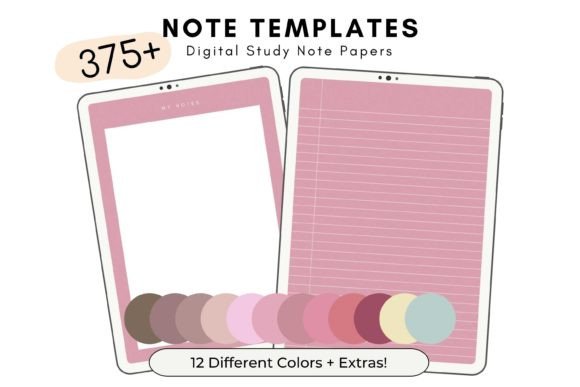
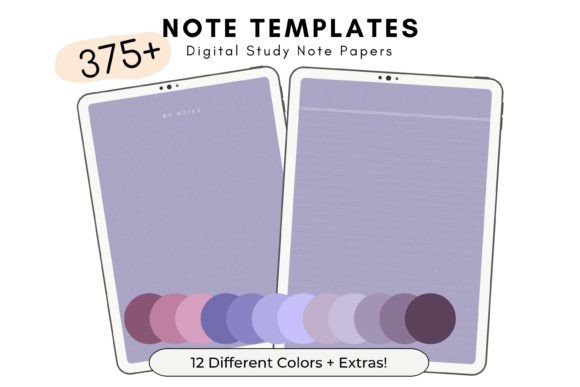
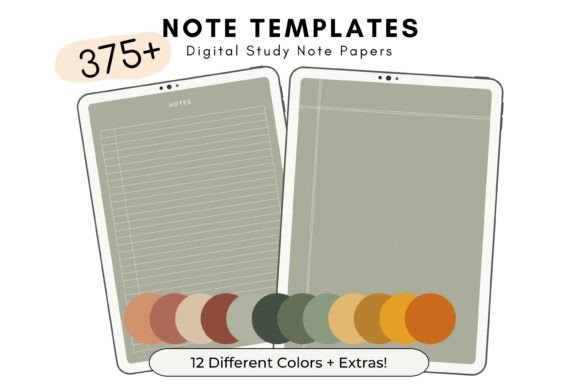
When we describe this set as "massive," we are not exaggerating. The Soft Leaves Digital Note Templates package is a powerhouse of variety, providing 33 different note template styles across 12 distinct shades. The result is a staggering 420 individual PDF files. This level of variety ensures that your notes never feel stale. Whether you prefer a minimalist aesthetic for deep work sessions or a vibrant color-coding system to categorize different subjects, the options are at your fingertips.
The organization of these files is a feature in itself. Instead of dealing with cumbersome, massive PDF files that require you to scroll endlessly to find a specific page, the Soft Leaves collection delivers 420 individual files grouped by color. This structure respects your time and device storage, allowing you to import only the specific templates you need for a particular project or study session.
Designed for the Modern Student
For students, the academic semester is a juggling act of lectures, assignments, and extracurriculars. The Soft Leaves Digital Note Templates are built to handle this chaos. The inclusion of weekly planners allows for a bird's-eye view of upcoming deadlines, while the to-do lists help break down large projects into manageable daily tasks.
Imagine sitting in a lecture hall or a library. With a tablet and a stylus, you can open a specific note template that suits the subject matter. Need to map out a complex biology concept? Use a blank or dotted style. Writing down historical dates? Use a lined format. Because the set includes 33 styles, you can experiment to find the exact layout that helps information stick in your memory. The ability to use these templates an unlimited number of times means that one purchase supports your entire academic career, from freshman orientation to final exams.
Enhancing Professional Productivity
Beyond the classroom, the Soft Leaves Digital Note Templates serve as a vital tool for professionals. In a corporate environment, meetings are frequent and information overload is common. Having a structured digital notebook allows you to capture minutes, action items, and brainstorming ideas without the waste of physical paper.
The 10 bonus PDF notebook covers included in the package add a layer of professionalism to your digital library. You can create separate "notebooks" for different clients, projects, or departments, each with a distinct cover and color scheme. This visual organization helps you switch contexts instantly. When a client calls, you can pull up their specific project notebook in seconds, looking organized and prepared.
The Aesthetics of Organization
There is a psychological benefit to using tools that are pleasing to the eye. The "Soft Leaves" theme suggests a connection to nature and tranquility, which can help lower stress levels during busy workdays. The 12 shades available in this set allow for a sophisticated color-coding system. For example, you might use the sage green templates for internal meetings, the warm beige for client work, and the soft blue for personal development.
This visual differentiation is not just about beauty; it is about accessibility. When you open your device, color-coded tabs allow your brain to quickly locate the correct information, reducing cognitive load and improving focus.
Compatibility and User Experience
One of the most critical factors in adopting a new digital tool is compatibility. The Soft Leaves Digital Note Templates are designed with versatility in mind. They are formatted in US Letter Size (8.5 x 11 inches), which is the standard for printing and digital annotation in North America.
While the product name implies a connection to GoodNotes—a leading app for iPad users—the utility extends far beyond a single platform. Because these are standard PDFs, they can be used in almost any app that allows PDF annotation. This includes popular alternatives like Notability, Xodo, or even standard PDF readers on desktop computers. This cross-platform compatibility ensures that your investment is future-proof; even if you switch devices or apps, your templates remain usable.
Practical Scenarios for Daily Use
How does one practically integrate 420 files into a daily routine? The answer lies in customization. Here are a few scenarios where these templates shine:
- The "Bullet Journal" Approach: Use the blank or dotted templates to create custom layouts for habit tracking, mood logging, or daily journaling. The Soft Leaves aesthetic provides a calming background for introspection.
- Project Management: Utilize the to-do lists to track deliverables. The satisfaction of digitally crossing off a completed task is a powerful motivator.
- Creative Brainstorming: When ideas are flowing, you need space. The variety of styles means you can choose a template with fewer lines or more white space to let your ideas breathe.
Value and Sustainability
In an era where sustainability is increasingly important, digital planning offers an eco-friendly alternative to traditional stationery. By using the Soft Leaves Digital Note Templates, you eliminate the need for physical notebooks, binders, and loose-leaf paper. You are effectively saving trees while decluttering your physical workspace.
Furthermore, the economic value is substantial. Consider the cost of high-quality stationery: a premium planner can cost upwards of $30, and you have to buy a new one every year. The Soft Leaves set offers a one-time purchase for an unlimited use resource. Whether you are a student on a budget or a professional looking to cut overhead costs, this set provides a high return on investment.
Getting Started
Adopting the Soft Leaves Digital Note Templates is a straightforward process. Upon purchase, you will receive a .ZIP file containing all the assets. It is important to note that these are digital goods; no physical items are mailed or shipped. Once downloaded, you simply unzip the file on your tablet or computer.
From there, you can import the specific templates you wish to start with into your preferred app. Because the files are grouped by color, setting up your initial digital library takes only a few minutes. You can quickly rename files to reflect their purpose—such as "Meeting Notes," "Grocery List," or "Chapter 5 Review"—and pin them to your favorites for instant access.
Final Thoughts on Flexibility
The true power of the Soft Leaves Digital Note Templates lies in their flexibility. They do not force you into a rigid system. Instead, they provide the building blocks for you to create a system that works uniquely for you. Whether you are a meticulous planner who schedules every minute or a creative thinker who needs space to doodle, this collection adapts to your style. It is a tool that grows with you, changing as your needs change, ensuring that your notes are always organized, accessible, and aesthetically pleasing.